seo.product_h1
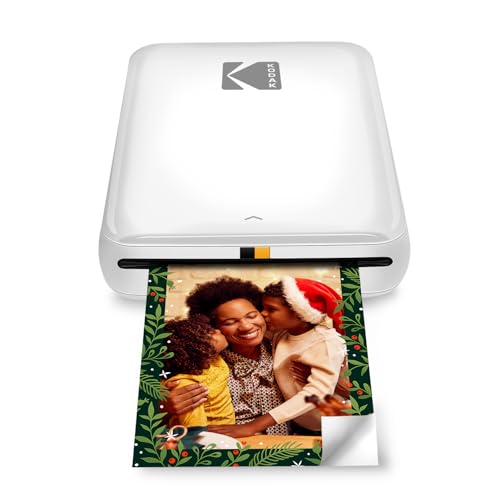
IMPROVE YOUR PRINTING SKILLS No more plans to print tomorrow KODAK Step Printer can be connected to any iOS or Android smartphone, tablet or similar device [via Bluetooth or NFC] to print images instantly Take physical photos from your selfies, portraits, social media posts and other images
Topelio Score
Average
Decent product but with weak points, notably: review count.
Score Breakdown
Average Amazon user rating
Volume and reliability of reviews
Consistency of price history
Stock reliability
Truthfulness of advertised discounts
Updated 6 місяців тому
- IMPROVE YOUR PRINTING SKILLS No more plans to print tomorrow KODAK Step Printer can be connected to any iOS or Android smartphone, tablet or similar device [via Bluetooth or NFC] to print images instantly Take physical photos from your selfies, portraits, social media posts and other images
- AMAZING ZINC PRINTING TECHNOLOGY Zinc innovation removes expensive ink cartridges, toners or ribbons 2×3 adhesive paper with embedded color crystals delivers high-quality, durable, cheap and detailed prints that are resistant to moisture, cracks and dirt
- AMAZING ZINC PRINTING TECHNOLOGY Zinc innovation removes expensive ink cartridges, toners or ribbons 2×3 adhesive paper with embedded color crystals delivers high-quality, durable, cheap and detailed prints that are resistant to moisture, cracks and dirt
- TAKE YOUR PROJECTS WITH YOU Forget computer connections, clutter and cumbersome devices Our portable printer weighs barely a pound, is quick to set up and creates great printouts that you can peel and stick anywhere Great for decorating refrigerators, laptops, lockers, scrapbooks, notebooks, and so on
- CUTE, COMPACT and COLORFUL Step Printer is designed for photo-loving influencers and hobbyists of all ages and levels Portable, lightweight device with integrated lithium ion battery [25 photos with full charge] Available in many colors a great gift idea for any occasion
- To ensure the best possible photo quality, make sure to insert the photo paper correctly into the printer. Always insert the blue quality card from the same package of photo paper that is in the printer. The blue card should be placed in the paper tray with the barcode facing down. If you use a blue card from other paper packs, you may not get the best results.
- The quality of the photos can also depend on the lighting conditions at the shooting location. This may affect the saturation of the image after printing.
- If a paper jam occurs, be sure to turn the printer off and on again. This should cause the paper to be thrown out. Don't pull out the paper with your hand.
- Be careful not to cover the print slot with your hand when printing the photo.
User Reviews
Be the first to review
Total Cost of Ownership
Estimate the real cost over the product's lifetime.
Cost breakdown
Cost details
Calculating...
Estimates based on average data. Actual costs may vary depending on usage and local rates.
Product History
Product added to Topelio
Ce produit a été ajouté à notre catalogue
Product Info
- Brand
- KODAK
- Manufacturer
- Kodak
- Identifiers
- ASIN
- B08C72V1LB
Price trend analysis
N/A
Trend unknown
Insufficient data to analyze price trend.
Our recommendation
We recommend monitoring price evolution before buying. Set a price alert to be notified of drops.
Best time: Wait a few days to observe evolution
Price predictions
7 days
Cannot predict
confidence